



Odoo Productivity
Frequently asked questions
Is Odoo Productivity better than Tally for managing Indian business operations?

For Indian businesses looking beyond just accounting, Odoo productivity tools offer a distinct advantage over Tally. While Tally is excellent for core accounting and GST compliance, it falls short when you need to manage operations, projects, or teams. Odoo project management brings sales, inventory, and operations into one platform, eliminating the fragmented approach common with Tally. If your business needs go beyond bookkeeping, Odoo productivity features like integrated project tracking and resource management give you a unified view that Tally cannot provide.
What are the two types of Odoo editions available for businesses in India, UK and US?
Odoo offers two editions, Community and Enterprise. Odoo productivity tools in the Community edition are free and open-source, covering basics like project management and task tracking, but lack advanced features and official support. The Enterprise edition adds premium Odoo project management capabilities, unlimited functional support, mobile apps, and full accounting integration. For businesses in India, UK, and US, Odoo productivity features in Enterprise include automated workflows, document management, electronic signatures, and cloud hosting options. The choice depends on whether you need the advanced functionality and support that Enterprise provides.
What are the key Odoo Productivity features that help US businesses improve team efficiency?
Odoo productivity tools help US businesses improve efficiency through centralized project tracking, automated workflow approvals, and real-time collaboration features. Odoo project management offers kanban boards, Gantt charts, and workload planning that give managers clear visibility into team capacity. Key Odoo productivity features include integrated document management with version control, timesheets that connect to projects, and automated notifications that keep everyone aligned. The shared database eliminates the need to search across folders and systems, teams find information instantly, saving valuable time and reducing errors.
Can Odoo Productivity tools replace Google Workspace for US-based remote teams?
Odoo productivity tools and Google Workspace complement rather than replace each other. Google Workspace excels at real-time document collaboration, email, and calendar management, while Odoo project management focuses on structured task tracking, project workflows, and operational management. Odoo productivity features include document storage and collaboration tools, but they don’t fully replicate Google’s ecosystem. Many US remote teams use both, Google Workspace for communication and document creation, and Odoo for managing projects, tasks, and business operations across the organization.
What are the disadvantages of using Odoo Productivity for US enterprises?
For US enterprises, the disadvantages of Odoo productivity tools include implementation challenges and support limitations. Some US users report that implementation timelines can stretch significantly, with support teams sometimes lacking the expertise to resolve complex issues promptly. Odoo project management features may require customization to fit US-specific workflows, and report customization can involve additional costs. The fact that much of the development team is overseas can create timing delays for urgent fixes. Enterprises note that while Odoo productivity features are extensive, the learning curve for large teams can be substantial.
Is Odoo Productivity better than Microsoft 365 for UK small businesses?
It’s not about “better”, they serve different purposes. Microsoft 365 is excellent for document creation, email, and basic collaboration, while Odoo productivity tools are designed for managing business operations like projects, inventory, and sales pipelines. Odoo project management gives you integrated task tracking, resource allocation, and real-time reporting that Microsoft 365 lacks. However, many UK small businesses use both, Microsoft 365 for communication and document work, and Odoo productivity features for operational management. The choice depends on whether you need a full business management platform or just collaboration tools.
What are the challenges of implementing Odoo Productivity tools in UK companies?
UK companies face challenges with implementation quality and post-go-live support when adopting Odoo productivity tools. Some users report that implementation can drag on longer than promised, with support teams sometimes lacking system knowledge. For Odoo project management adoption, data migration from legacy systems requires planning to avoid duplicate records and inconsistent information. Additionally, customizing Odoo productivity features early can complicate future upgrades, UK businesses are advised to start with standard modules and work with experienced local partners who understand Odoo and UK-specific requirements.
What are the key features of Odoo Productivity for UK-based businesses?
For UK businesses, Odoo productivity tools offer strong VAT compliance, multi-currency handling, and GDPR-ready data management features. Odoo project management provides real-time dashboards, resource planning, and smooth integration with accounting for accurate cost tracking on projects. Key Odoo productivity features include automated workflow approvals, document management with version control, and native mobile apps for teams on the go. The platform’s ability to handle hybrid workflows and maintain data accuracy makes it suited to UK companies needing flexibility and compliance.
Can Odoo Productivity tools handle multi-currency operations for Indian export businesses?
Odoo productivity tools are well-equipped to support Indian export businesses with multi-currency capabilities. Odoo project management allows you to set a base currency (like INR) while recording transactions in any foreign currency, automatically applying current exchange rates. For exports, Odoo productivity features include daily exchange rate updates, automated gain/loss calculations, and the ability to generate invoices in your customer’s preferred currency. This functionality, combined with integrated project tracking for export orders, gives Indian exporters a smooth way to manage international operations.
What are the limitations of using Odoo Productivity tools for Indian startups?
For Indian startups, Odoo productivity tools can present a steeper learning curve compared to simpler alternatives like Tally. The main limitation is that implementation requires careful planning, rushing in without clear goals or choosing an inexperienced partner can lead to costly delays. Odoo project management features are powerful but may feel overwhelming for small teams that just need basic tracking. Additionally, while Odoo productivity features support Indian compliance, some startups find they need a skilled implementation partner to configure GST and local requirements properly.
What are the benefits of using Odoo for productivity?
Using Odoo project management software delivers visibility across work activities, eliminating the fragmentation common with multiple standalone applications. These Odoo productivity tools reduce context switching by keeping communications, documents, and task management within one interface accessible from anywhere. Automated workflows minimize administrative overhead while integrated timesheets enable accurate project profitability analysis . The design allows businesses to start with essential features and expand functionality as operational needs evolve without migrating platforms.
How does Odoo handle document management?
Odoo productivity tools incorporate document management through centralized repositories, version control, and access permissions that keep files organized and secure. The Odoo project management software allows attaching documents to projects or tasks, with automatic indexing making content searchable by name, content, or tags. Users can co-edit documents online, track revision histories, and restore previous versions when needed without leaving the platform. Integration with external storage providers like Google Drive and Dropbox ensures flexibility while maintaining Odoo as the central collaboration hub.
Can Odoo automate workflow approvals?
Odoo project management software includes approval engines that automate review processes for tasks, documents, purchases, and other business activities requiring authorization. These Odoo productivity tools let administrators define approval hierarchies, set automatic triggers based on project stages, and establish rules for when manager sign-off becomes necessary. Requesters receive real-time status updates while approvers get consolidated dashboards showing pending items requiring attention. The system maintains complete approval histories for compliance purposes and can escalate overdue requests automatically.
Is Odoo suitable for remote teams?
Odoo project management software proves ideal for distributed workforces through cloud-based accessibility, mobile applications, and real-time synchronization that keeps everyone connected regardless of location. These Odoo productivity tools provide remote workers with identical visibility into project status, task assignments, and team communications as office-based colleagues. The platform enables collaboration through documented discussions, shared calendars, and transparent progress tracking that accommodates different time zones. Built-in video conferencing integration supports face-to-face meetings without leaving the platform.
How does Odoo manage internal communication?
Odoo productivity tools centralize internal communication through discussion channels, direct messaging, and threaded conversations that organize exchanges by project or topic. The Odoo project management software embeds communication within task views, allowing team members to discuss work items without losing context or searching through separate email threads. Users can create private groups for sensitive topics, broadcast announcements to teams, and pin important messages for easy reference . All communications remain searchable and permanently attached to relevant projects for complete audit trails.
Does Odoo integrate with email and calendars?
Odoo productivity tools feature integration with external email providers and calendar applications through bidirectional synchronization that keeps communications unified. The Odoo project management software includes an email gateway that converts incoming messages into tasks or discussion threads, eliminating manual data entry. Calendar integration displays project deadlines, meeting schedules, and task due dates alongside personal appointments for holistic time management. Users can reply to project emails from their inbox while updates sync back to Odoo automatically.
Can Odoo track employee tasks and deadlines?
Odoo project management software enables task tracking with configurable deadlines, priority levels, and recurring task capabilities that ensure nothing falls through cracks. These Odoo productivity tools provide managers visibility into individual workloads through timeline views and workload charts that highlight capacity issues before they impact deadlines. Employees can organize personal tasks through filtered views, mark progress with checklists, and receive automatic deadline reminders. Completed work remains archived for historical reference and performance evaluation purposes.
Does Odoo include project management features?
Odoo project management software delivers features including interactive planning boards, task dependencies, milestone tracking, and workload distribution analytics for project oversight. These Odoo productivity tools support multiple project visualization methods such as kanban, list, graph, calendar, and pivot views adaptable to any management style . Users can establish project templates for recurring work, set automatic task creation triggers, and monitor progress through real-time dashboards. Time tracking integration allows accurate measurement of effort against project estimates for improved future planning.
How does Odoo improve team collaboration?
Odoo productivity tools enhance collaboration through real-time discussion channels, direct messaging, and activity streams that keep everyone aligned on project developments. The Odoo project management software enables shared task assignments, document attachments, and @mentions that facilitate context-rich communication without switching applications. Team members receive notifications about updates, comments, and deadlines through integrated email and in-app alerts. This approach ensures the project-related conversations remain accessible and searchable alongside the work being tracked.
What productivity tools are included in Odoo?
Odoo productivity tools encompass a suite including project management, task tracking, timesheets, discussion forums, and document management within a unified platform. The Odoo project management software provides kanban views, gantt charts, and workload planning features that streamline operations across departments. Users benefit from integrated notes, calendar synchronization, and automated email gateway functionality that centralizes communications. These tools eliminate silos by connecting productivity with sales, inventory, and accounting modules for smooth workflow execution.
Article
Insights on emerging trends and transformative technologies shaping modern enterprises, offering practical perspectives on innovation, AI, and intelligent business solutions.
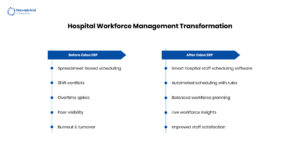
The Real Reason Hospitals Struggle with Staff Scheduling...
The Real Reason Hospitals Struggle with Staff Scheduling and How Odoo Fixes It April 8,…
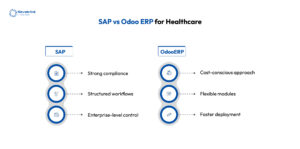
SAP vs Odoo ERP for Healthcare – Which...
SAP vs Odoo ERP for Healthcare – Which One is Right for You? April 7,…

How CRM Technology Is Changing Healthcare Operations in...
How CRM Technology Is Changing Healthcare Operations in the US April 6, 2026 Posted by:…
Case study
Read how Navabrind IT Solutions is helping clients redefine efficiency and ensure smarter business outcomes with AI‑enabled Odoo ERP


