



Odoo Accounting
Frequently asked questions
Is Odoo Accounting suitable for US-based businesses?

Odoo Accounting software includes a US localization package that follows GAAP standards with a structured chart of accounts. Odoo Accounting features for US businesses include 1099 vendor tracking, NACHA file exports for ACH payments, and check printing layouts for three common formats. For Odoo Accounting GST, while GST is an Indian tax, US equivalents are sales tax, Odoo supports multi-state sales tax configurations, exemption certificate management, and integrates with AvaTax for automated rate calculations. You also get Form 8300 tracking for cash receipts and complete audit trails suitable for IRS requirements.
How do lock dates work in Odoo Accounting?
Odoo Accounting software uses lock dates to prevent changes to closed accounting periods. You set a monthly lock date (like the 10th of the following month) and a fiscal lock date for year-end. Once locked, users cannot modify, create, or delete entries dated within those periods. Odoo Accounting features include the ability to set separate lock dates for posting entries versus creating invoices. For Odoo Accounting GST, this ensures your tax filings remain consistent after submission. You can also enable “secure entries” which adds tamper-evident hashing to posted journal items for audit protection.
Can Odoo Accounting generate automated tax reports?
Odoo Accounting software generates comprehensive tax reports automatically based on your transaction data. You simply navigate to Accounting > Reporting > Tax Report, select your date range, and Odoo aggregates all taxable sales and purchases. Odoo Accounting features include pre-configured tax mappings for GST, VAT, and sales tax, with country-specific localization packages. For Odoo Accounting GST, you can export reports in formats ready for government portal submission. The system handles reverse charges, withholding tax, and tax-exempt customers correctly, and you can preview reports anytime before filing deadlines.
How does Odoo manage deferred revenue and expenses?
Odoo Accounting software handles deferrals by spreading revenue or expenses across future periods automatically. When you create an invoice with a deferred revenue checkbox, Odoo posts the initial amount to a liability account, then schedules monthly recognition entries over the specified period. Odoo Accounting features include options for “Months” or “Days” calculation methods, plus the ability to consolidate past entries into the first open period if prior months are locked. For Odoo Accounting GST, deferral entries maintain proper tax handling. The system posts these entries daily, ensuring your P&L reflects revenue only when earned.
What is the difference between accrual and cash basis in Odoo?
In Odoo Accounting software, accrual basis recognizes revenue when you invoice customers and expenses when you receive bills, regardless of when money moves. Cash basis only records transactions when payments are received or made. Odoo Accounting features let you configure your preferred method, and for businesses requiring both, Odoo can generate cash basis reports from accrual data. With Odoo Accounting GST, tax obligations follow cash basis for small businesses, and Odoo handles this correctly. You can toggle between methods in reporting to see your financial position both ways without changing underlying entries.
How does bank reconciliation work in Odoo Accounting?
Odoo Accounting software makes bank reconciliation straightforward by connecting to your bank feeds or allowing statement imports. The system automatically matches imported transactions against invoices, bills, and payments using smart algorithms that learn your patterns. Odoo Accounting features include reconciliation models for recurring entries like bank fees or interest, letting you set rules that auto-match these items. With Odoo Accounting GST, reconciled transactions correctly reflect tax postings. You can reconcile manually when needed, and Odoo maintains a complete audit trail of every matched and unmatched transaction for easy review.
Can Odoo Accounting manage multiple companies in one platform?
Odoo Accounting software allows you to manage multiple companies from a single database with just a few clicks. Each company maintains its own chart of accounts, tax configurations, bank accounts, and fiscal years. Odoo Accounting features include inter-company transactions where you can transfer funds or invoice between entities with automatic journal entries on both sides. For Odoo Accounting GST compliance, each company can have its own tax registration settings. You can switch between companies from the dashboard, and consolidated reports give you combined financial visibility across your group.
How does Odoo handle multi-currency transactions?
Odoo Accounting software manages multi-currency operations by letting you set a base currency while recording transactions in any foreign currency. When you create invoices or bills, you select the transaction currency, and Odoo automatically applies the current exchange rate. Odoo Accounting features include daily exchange rate updates and realized/unrealized gain calculations at month-end. For Odoo Accounting GST implications, the system handles currency conversion for tax calculations properly. At reconciliation, you can match payments made in different currencies against invoices, with Odoo posting the exchange difference entries automatically.
Is Odoo Accounting better than QuickBooks for small businesses?
It depends on what your business needs. QuickBooks excels at pure accounting simplicity, you can start invoicing within minutes without training. Odoo Accounting software becomes the better choice if you need more than just bookkeeping. The real advantage lies in Odoo Accounting features like integrated inventory, eCommerce sync, and project management that QuickBooks cannot match. For a small business planning to scale, Odoo grows with you without forcing a platform migration later. If you only need basic financial tracking, QuickBooks is simpler and cheaper upfront.
What is Odoo Accounting and how does it work
Odoo Accounting software is a core ERP module that automates financial operations from invoicing to reporting. It works by centralizing all transactions, sales orders, vendor bills, payments, into a single system where journal entries are created automatically. Odoo Accounting features include automated bank reconciliation, real-time dashboards, and multi-currency support. What makes Odoo Accounting GST handling effective is its built-in tax automation that applies correct rates based on product categories and customer locations, then generates ready-to-file tax reports instantly.
What is the cost of implementing Odoo Accounting?
The cost of implementing Odoo Accounting software starts at $0 with the one-app free plan, which includes unlimited users and essential accounting functionality. Paid plans begin at $24.90 per user monthly for the Standard plan providing full app access, or $37.40 for Custom with multi-company and API capabilities. Additional Odoo Accounting features may incur costs for premium apps, third-party integrations, or customization services. Annual subscriptions include discounts, while the 15-day free trial lets you evaluate before committing. Odoo remains competitively priced compared to traditional accounting solutions.
Can Odoo Accounting automate invoice generation?
Odoo Accounting software automates invoice generation through configurable policies that create invoices based on ordered quantities, delivered items, or confirmed payments. These Odoo Accounting features include recurring invoice automation for subscription clients, and payment-triggered invoicing for e-commerce transactions where invoices generate upon payment validation. The system sends invoices to customer portals and tracks payment statuses, reducing administrative workload and eliminating manual entry errors. This automation proves valuable for high-volume businesses requiring efficient, consistent billing cycles.
Does Odoo integrate accounting with sales and inventory?
Odoo Accounting software integrates smoothly with sales and inventory modules, creating a unified ledger where financial data synchronizes in real time across departments. These Odoo Accounting features eliminate manual entries and reconciliation between systems, as sales orders automatically generate invoices and inventory movements update cost of goods sold. Finance teams gain immediate visibility into inventory valuation, sales performance, and purchasing expenses without switching between platforms. This connected ecosystem transforms accounting from a siloed function into a strategic partner providing holistic business insights.
Is Odoo Accounting compliant with local tax regulations?
Odoo Accounting software ensures local tax compliance through fiscal localization packages designed for specific countries’ accounting standards and reporting requirements. These Odoo Accounting features adapt tax rates, invoice formats, and financial report structures to match regional regulations, whether for France, Germany, the US, or other jurisdictions. The community-driven enhancements keep packages updated with evolving fiscal laws, helping businesses avoid penalties from non-compliance . For unique requirements, you can customize settings or consult Odoo partners to develop solutions that meet local needs.
Can Odoo generate financial reports like P&L and balance sheets?
Odoo Accounting software generates financial reports including profit and loss statements, balance sheets, cash flow statements, trial balances, and general ledgers with just a few clicks. These Odoo Accounting features include standard PDF formats and customizable Excel exports through specialized modules, allowing you to apply date filters and comparison periods. Interactive reports enable drilling down to individual transaction levels for complete transparency. Real-time dashboards provide visibility into financial health, supporting informed strategic decisions based on current rather than historical data.
How does Odoo Accounting manage tax calculations?
Odoo Accounting software manages tax calculations through customizable configurations that automatically apply appropriate rates to sales orders, purchase orders, and invoices. You can define multiple tax types including VAT, sales tax, or service taxes, then assign them to specific products or services within your catalog. Advanced Odoo Accounting features include tax groups for bundling multiple rates, tax codes for reporting identification, and fiscal localization packages that align with country-specific regulations. The system generates audit-ready tax reports and supports multi-country scenarios, ensuring compliance across different jurisdictions.
Does Odoo Accounting support automated bank reconciliation?
Odoo Accounting software includes automated bank reconciliation that matches bank transactions with invoices and payments, streamlining what could be tedious manual work. The system allows you to import bank statements in CSV or OFX formats, then automatically pairs them with internal entries using configurable reconciliation models and rules. These Odoo Accounting features include auto-matching algorithms that learn from your patterns, though some complex transactions may still benefit from manual review. Regular reconciliation becomes efficient, ensuring financial accuracy without consuming excessive staff time.
Can Odoo Accounting handle multi-currency transactions?
Odoo Accounting software supports multi-currency transactions, enabling businesses to manage international operations with ease and accuracy. You can activate needed currencies in accounting configuration, and the system automatically handles exchange rates for sales orders and invoices based on customer location or price lists. These Odoo Accounting features ensure proper currency conversion during bank reconciliation and financial reporting, maintaining records in your base currency while respecting exchange rate dynamics. This functionality proves essential for companies dealing with global suppliers or customers across different regions.
Is Odoo Accounting suitable for small businesses?
Odoo Accounting software is suitable for small businesses, offering a free one-app plan that includes accounting functionality with unlimited users. The intuitive interface allows non-accountants to navigate easily, while automation tools reduce manual workload for lean teams. Small businesses benefit from essential Odoo Accounting features like invoicing, expense tracking, and bank reconciliation without requiring extensive technical expertise. As operations expand, the design enables affordable addition of apps for inventory or sales integration.
What features does Odoo Accounting include?
Odoo Accounting software includes a suite of tools for managing invoices, tracking expenses, handling bank reconciliations, and generating financial reports. Users can set up customizable charts of accounts, automate recurring invoices, and control user permissions for enhanced security. The system also supports multi-currency transactions and integrates smoothly with sales and inventory modules. Odoo Accounting features extend to include automated tax calculations and a variety of financial reports like profit and loss statements.
Article
Insights on emerging trends and transformative technologies shaping modern enterprises, offering practical perspectives on innovation, AI, and intelligent business solutions.
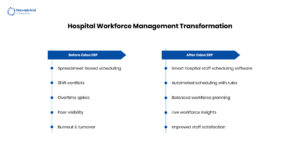
The Real Reason Hospitals Struggle with Staff Scheduling...
The Real Reason Hospitals Struggle with Staff Scheduling and How Odoo Fixes It April 8,…
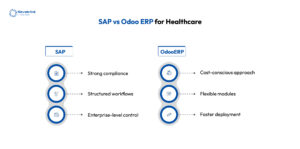
SAP vs Odoo ERP for Healthcare – Which...
SAP vs Odoo ERP for Healthcare – Which One is Right for You? April 7,…

How CRM Technology Is Changing Healthcare Operations in...
How CRM Technology Is Changing Healthcare Operations in the US April 6, 2026 Posted by:…
Case study
Read how Navabrind IT Solutions is helping clients redefine efficiency and ensure smarter business outcomes with AI‑enabled Odoo ERP


