





What steps can businesses take to move to Odoo 20 without losing their vital data?
Migration is a delicate task and it is important to work with the right Odoo partner to ensure no data is lost in the process. Ideally, work with a certified partner such as Navabrind IT Solutions.
The high level steps your business can take to ensure no data is lost while upgrading to Odoo 20 are
- Back up your production database and upgrade in a test or staging environment.
- Check the custom modules, data, workflows, reports, and integrations that are being migrated thoroughly.
- Test custom modules against the upgraded database to ensure that data remains consistent.
Only after reconciliation and user acceptance testing should the upgrade to the production environment be planned, including the use of a controlled cutover and an additional backup.
Learn about What is the duration of an Odoo 20 migration or upgrade
Related article
View all
Magento Security Scanner to Find Vulnerabilities & Malware
March 17, 2025Magento Security Scan can detect malware on websites. Most importantly, it will notify suspicious issues related to Vulnerability and Malware

SAP ECC Support Ends in 2027 — Does That Affect SAP Business One Users? What to Do Next
July 31, 2026SAP Business One end of support 2027 is creating confusion for many businesses. Learn what it means, whether you're affected, and the best next steps.
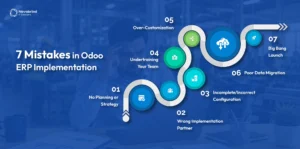
Odoo ERP Implementation in Indian Manufacturing: 7 Mistakes
June 23, 2026Avoid costly ERP system implementation mistakes in Indian manufacturing. Learn 7 common pitfalls and proven strategies for successful ERP adoption.