


















Cost Estimation Tool
For Manufacturers
No surprises. No vague ranges. Just real cost data for manufacturers moving from spreadsheets to transparent pricing powered by automation.
cost increase
less unit costs in 6 months
in estimate & control budget gap
See how demand forecasting transforms your operations in 30 minutes.
Trusted by large brands


The Growing Importance of Cost Estimation for Manufacturers
From surviving market volatility to thriving with confidence. How an estimation tool from Navabrind IT Solutions turns cost data into a competitive advantage

Fragmented Systems
Cost data is trapped across disconnected ERP, MES, and finance systems with inconsistent formats and update frequencies.
60%
Manufacturers have data silos

No Real-Time Visibility
Manufacturers rely on lagging indicators and monthly reports, which means problems are often detected weeks after they occur.
84%
Manage costs without seeing operations

Inaccurate Overhead Allocation
Traditional costing methods that spread overhead evenly across products create "profitability fiction".
20%
Quality failure costs
5 Powerful Capabilities,
One Intelligent Platform
01
Cost Breakdown
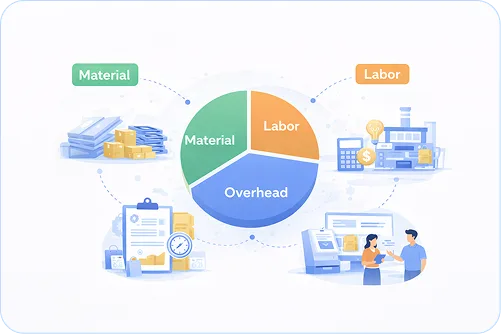
A comprehensive cost estimation tool breaks down total product cost into granular components of material, labor, and overhead.
- Calculate raw material costs based on BOM components, scrap factors, and other sourcing options
- Capture direct labor expenses by tracking hours, hourly rates, and tasks or work centers
- Allocate indirect expenses such as machine depreciation, utilities, and facility costs
02
ERP/PLM Integration
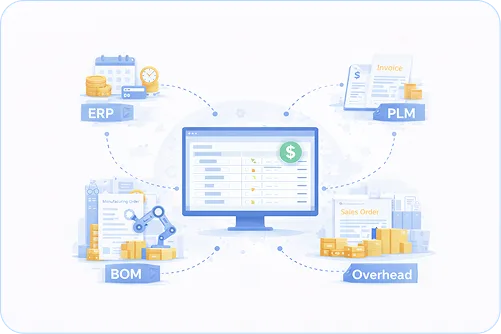
A cost estimation tool integrated with business systems eliminates data silos and manual data entry.
- Syncs estimates directly with sales orders, manufacturing orders, and invoices.
- Leverages past project costs and production rates from your ERP.
- Pulls existing Bill of Materials and work center data from your manufacturing system
03
Templates
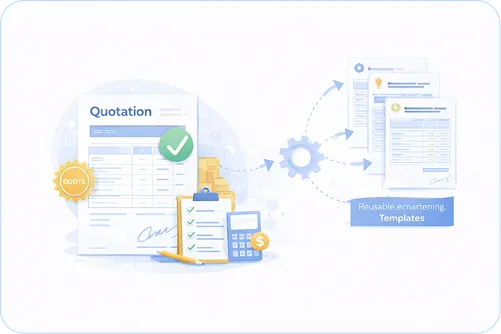
Reusable estimation templates reduce the time required to generate accurate quotes for repeat or similar products.
- Create standardized estimation structures for common product types
- Enable estimators to duplicate existing estimates
- Generate professional customer-facing quotations, job sheets, or proposal documents
04
Cost Library
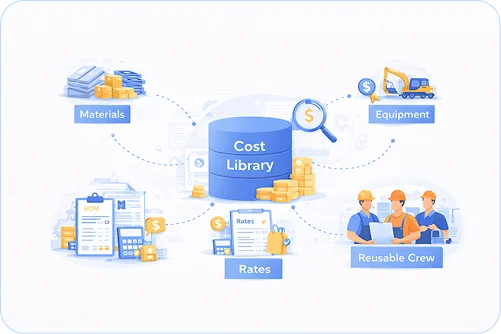
A centralized cost library serves as a single repository that consolidates pricing information—materials, labor rates, and equipment costs.
- Every team member references identical rates for materials, labor by trade or skill level, and equipment.
- Bundles frequently used labor and equipment combinations into reusable “crews” with pre-set productivity rates.
- As your team uses the library across multiple projects, pricing continuously refines based on real-world results.
05
CAD/ERP Integration
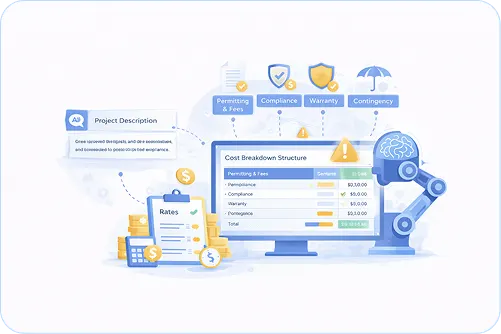
AI-powered CBS generation identifies, categorizes, and structures potential project costs based on a simple project description.
- AI flags commonly overlooked expenses, including permits, compliance fees, warranty costs, and contingency items.
- Generates a professional cost structure in under five minutes
- Highlights high-risk budget items before they become problems and allows users to compare different cost scenarios.
From
Wastage to
Revenue Growth
Intelligent automation ensures compliance, visibility, and trust
Use Historical Records
Audit past projects to extract real-world cost drivers, variance patterns, and hidden line items. Hardcode these as baseline rules.
Embed Live Market Feeds
Connect the estimator to vendor APIs, commodity indices, and labor rate databases to auto-refresh unit costs.
Embed in Bid-No-Bid Gate
Integrate the tool's output directly into your project intake workflow: set automated thresholds where estimates trigger instant alerts.
Calibration
Feed actuals back into the estimator's engine to auto-adjust algorithms and flag where predictions diverged.
From Uncertain Bids to Margin Mastery with
the Navabrind IT Solution Cost Estimator

Budget Accuracy
Walk into every negotiation knowing your numbers are complete, accurate, and defensible.

Better Decision-Making
Delivers instant scenario comparisons, speeding up approvals and resource allocation.

Optimize Resources
Map labor, materials, and overhead in real time to ensure every dollar and hour drives maximum ROI.

Mitigate Financial Risk
Flag hidden cost drivers and uncertainty ranges early, and turn potential budget crises into manageable variances.

Streamline Workflows
Automate tedious manual calculations, free up teams to focus on strategy.

Competitive Bidding
Generate precise, defensible quotes faster, win deals without cutting margins.
See What Your Team
Works With Every Day
Stop Estimating Blindly.
Start Selling Confidently.

Automotive Parts
Complex multi-level BOMs with hundreds of components demand precision. Avoid miscalculation on raw materials and protect your profit margins.

Electronics & PCB
Component prices fluctuate. Live pricing integration ensures your quote today matches your cost next month.

Industrial Machinery
Scenario modeling lets you compare material grades or outsourcing options before you quote.

Aerospace & Defense
The estimator captures lot-level costs and generates audit-ready breakdowns for government pricing reviews.
Calculate Your PPAP ROI
in 60 Seconds
- Eliminate Hidden Administrative Costs
- Reduce the Risk of Non-Compliance Penalties
- Accelerate Time-to-Revenue
Calculate Your ROI
See exactly how Navabrind IT Solutions PPAP module slashes approval cycles, cuts rework costs, and delivers 6-figure savings, input your numbers now!
Quote with Confidence with Navabrind IT Solutions Estimation Tool
Seeing is Believing
Request a live demo of the Navabrind IT Solutions cost estimator and let it wow you
Trusted by 200+ manufacturers · Odoo Gold Partner · Setup in 24 hours
Got Questions? We've Got Answers
How does a cost estimation tool calculate the total cost of a product?
A cost estimation tool calculates total product cost by automatically aggregating multiple cost layers from your BOM and routing data. It pulls real-time material costs from purchase orders, adds direct labor expenses based on work center rates or individual employee hourly costs, and allocates machine burden (depreciation, energy, maintenance) and overhead. The tool then applies scrap factors per operation and accounts for subcontracting or one-time charges, such as tooling and setup fees. This automated, multi-layered approach eliminates the guesswork of manual spreadsheets.
What is the difference between estimated cost and actual cost?
The estimated cost represents what a product should cost to manufacture based on your BOM, standard work center rates, and planned component quantities. Actual cost reflects what it really cost after production is complete. The two often diverge due to real-world factors such as longer-than-expected operating times, higher material consumption due to scrap, component price changes during manufacturing, or employees with hourly rates different from the work center standard. A good estimation tool tracks both and highlights variances so you can adjust future quotes.
Can the tool pull live material prices from suppliers instead of using manual entries?
Yes, modern cost estimation tools integrate with procurement data to pull current supplier pricing. Instead of relying on stale, manually entered costs, the tool can source component prices from preferred supplier lists, distributor catalogs, or recent purchase orders. This is especially critical in industries such as electronics manufacturing, where part prices can fluctuate rapidly due to supply chain volatility. Some systems also track price breaks by quantity, minimum order quantities (MOQ), and lead times to ensure estimates reflect real market conditions.
How does the tool handle scrap, rework, and waste in cost calculations?
Advanced estimation tools capture scrap and rework at the operation level, automatically adjusting job costs and future quotes based on historical waste patterns. When scrap occurs, whether by operation, shift, machine, or employee, the system logs it and factors the loss into the cost of completed units. This visibility helps manufacturers identify high-scrap operations and reduce waste. According to industry benchmarks, companies using scrap-based costing have improved margins by 12–20% within six months.
Can I generate a customer-facing quote directly from the cost estimate?
Yes, integrated cost estimation tools include quoting functionality that converts internal cost calculations into professional customer-facing quotes without manual re-entry. The system uses the same cost data for both estimating and quoting, ensuring quotes reflect actual production costs rather than outdated assumptions. Manufacturers using integrated quoting have reported a 28% faster quote turnaround, 17% higher accuracy, and a 21% improvement in win rates. The best systems also let you set margin targets and generate quotes with clear cost breakdowns.
How long does it take to implement a cost estimation tool?
Implementation timelines vary based on your manufacturing complexity and existing systems, but ERP-integrated estimation tools can be deployed in 60–90 days. This timeline includes configuring cost structures, setting up BOMs and routings, integrating with shop floor data collection (for labor and machine tracking), migrating historical data, and training users. The fastest implementations use cloud-based systems with pre-built connectors and industry templates, avoiding months of custom development.